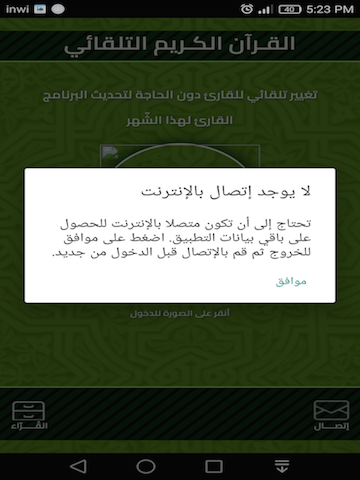

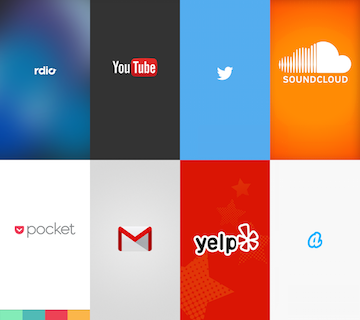
غالبًا ما تتم الإشارة إلى شاشة splash screen على انها شاشة الترحيب بمستخدم التطبيق، و الواجهة التي تعطيه فكرة عن نوعية البرنامج.
هناك العديد من الطرق لإنشاء شاشة البداية. في هذه المشاركة سوف أشر لك الطريقة الصحيحة لإنشاء شاشة البداية. و باستخدام هذه الطريقة ، لن يضطر المستخدم إلى الانتظار لمدة أطول ، ولن يكون هناك شاشة بيضاء عند بدء تشغيل التطبيق.
- الخطوة 1: إنشاء ملف SplashScreenActivity
package com.yourname.appname.splashscreen;

import android.content.Intent;
import android.support.v7.app.AppCompatActivity;
import android.os.Bundle;

public class SplashScreenActivity extends AppCompatActivity {

    @Override
    protected void onCreate(Bundle savedInstanceState) {
        super.onCreate(savedInstanceState);
        setContentView(R.layout.activity_splash_screen);

        Intent intent = new Intent(getApplicationContext(),
                            MainActivity.class);
        startActivity(intent);
        finish();
    }
}
- الخطوة 2: إنشاء ملف activity_splash_screen
<?xml version="1.0" encoding="utf-8"?>
<layer-list xmlns:android="http://schemas.android.com/apk/res/android"
android:layout_height="match_parent"
android:layout_width="match_parent">

    <item android:drawable="@color/colorPrimary"/>

    <!-- Set the Background Image-->
    <item android:gravity="center" android:width="500dp" android:height="700dp">
        <bitmap
            android:gravity="fill_horizontal|fill_vertical"
            android:src="@drawable/splash_screen"/>
    </item>
</layer-list>
- الخطوة 3: إنشاء نمط داخل ملف styles.xml
<resources>

    <!-- Base application theme. -->
    <style name="AppTheme" parent="Theme.AppCompat.Light.DarkActionBar">
        <!-- Customize your theme here. -->
        <item name="colorPrimary">@color/colorPrimary</item>
        <item name="colorPrimaryDark">@color/colorPrimaryDark</item>
        <item name="colorAccent">@color/colorAccent</item>
    </style>

    <!--Style for Splash Screen-->
    <style name="SplashScreenTheme" parent="Theme.AppCompat.Light.DarkActionBar">
        <item name ="android:windowBackground"> @drawable/splash_screen</item>
    </style>

</resources>
- الخطوة 4: تعيين نمط داخل ملف AndroidManifest.xml
<?xml version="1.0" encoding="utf-8"?>
<manifest xmlns:android="http://schemas.android.com/apk/res/android"
    package="com.yourname.appname.splashscreen">

    <application
        android:allowBackup="true"
        android:icon="@mipmap/ic_launcher"
        android:label="@string/app_name"
        android:roundIcon="@mipmap/ic_launcher_round"
        android:supportsRtl="true"
        android:theme="@style/AppTheme">
        <activity android:name=".SplashScreenActivity" android:theme="@style/SplashScreenTheme">
            <intent-filter>
                <action android:name="android.intent.action.MAIN" />

                <category android:name="android.intent.category.LAUNCHER" />
            </intent-filter>
        </activity>
        <activity android:name=".MainActivity"/>
    </application>

</manifest>
- الخطوة 5: إنشاء الصوة.